Squash Ref App
Scoring application for squash referees
Digital refereeing
Developed according to official WSF rules, this app provides referees with a reliable and comprehensive tool to manage their matches, from warm-up to the final referee sheet.
Access and install the Squash Ref App.
Three ways to use it
The app works on its own. Each mode adds one connection to it: first livescoring on the club screen, then the result back into MySquash.
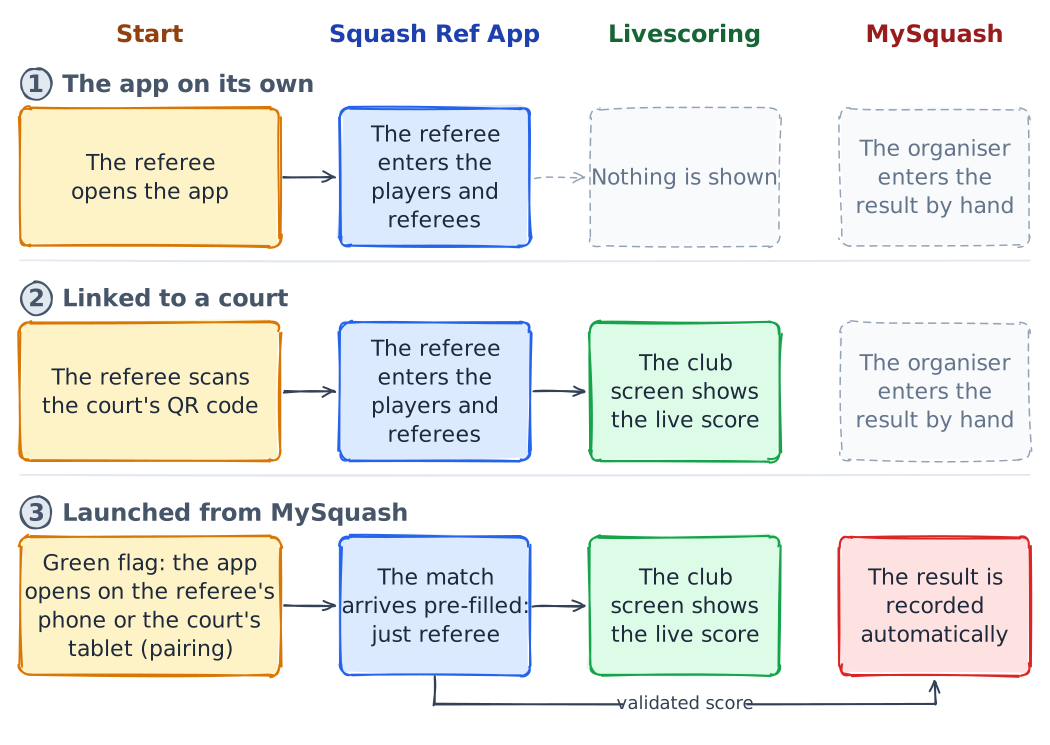
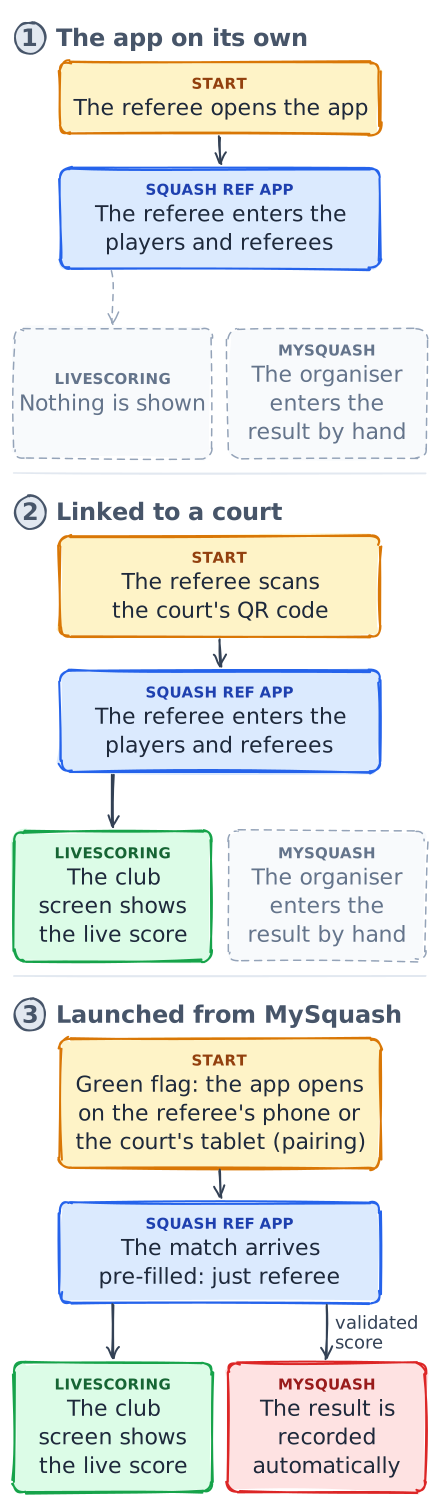
The app on its own. The referee opens the app and enters the players. Nothing is broadcast, and the result is entered by hand in MySquash from the referee sheet the app generates.
Linked to a court. The referee scans the court's QR code shown on the club screen. Every point is broadcast live on the club screen (Livescoring). The result still has to be entered by hand in MySquash.
Launched from MySquash. A click on the green flag of a tournament or interclub match opens the app with players, court and format already filled in, on the referee's phone or on the court's tablet. The click comes from the organiser, the referee or, in interclub, one of the players. Scores are broadcast live as in the previous mode; once the score is validated, the result is recorded in MySquash and the draw updated (MySquash integration).
Features


Install on iOS (iPhone / iPad)
The Squash Ref App is a Progressive Web App (PWA). On iOS, install it from Safari by adding it to your Home Screen:


