Club Management
Club Management Overview
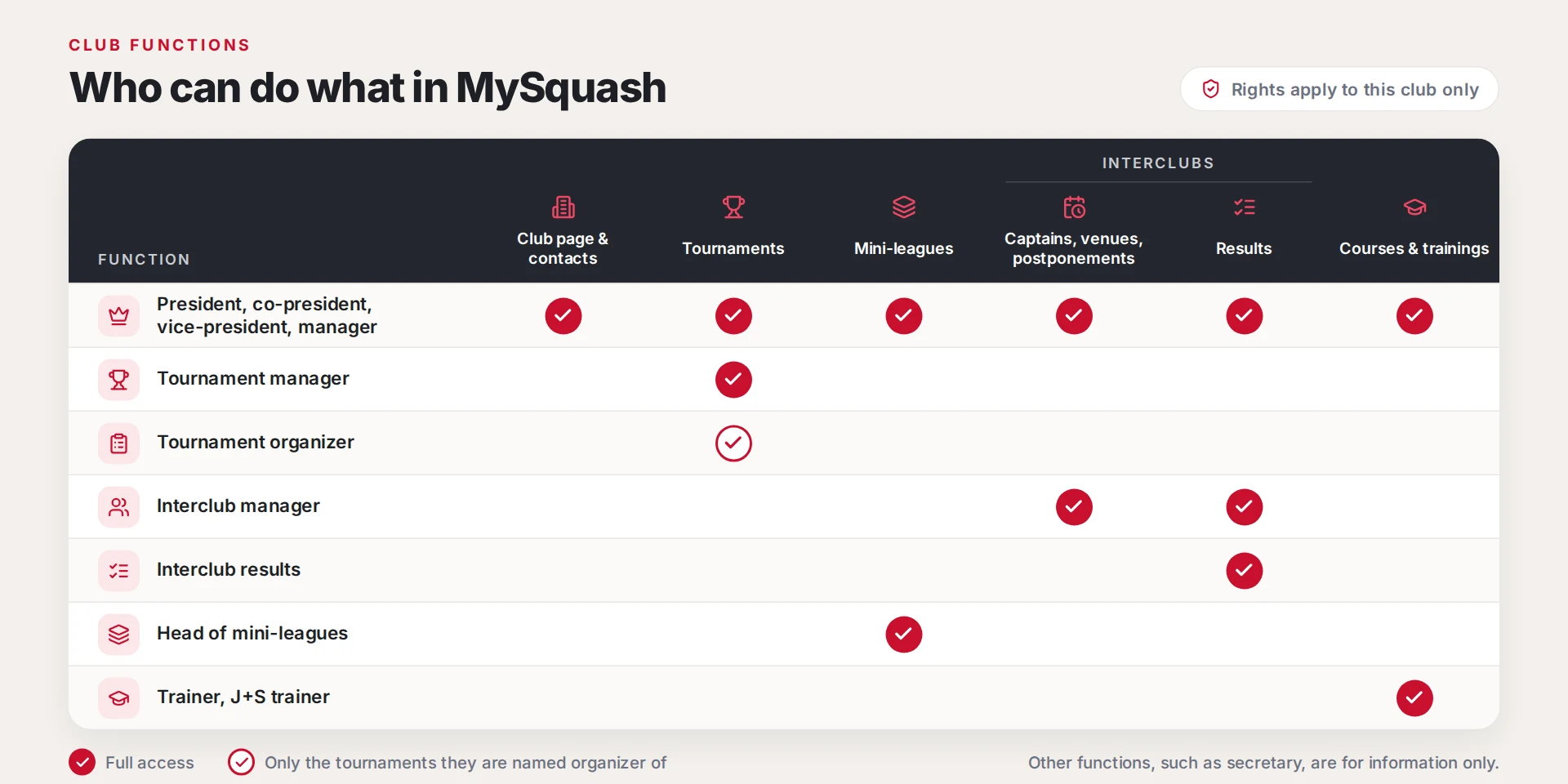
User Role Overview
Change Sport Center of a Club
-
Go to the clubs page
-
Select the club for which you want to change the sport center
-
In the "Sports center" card, open the ⋮ menu, choose "Unbind" and confirm with "Yes, unbind". The sports center is not deleted: only the link between the club and the center is removed. "Remove", just below, deletes the center itself: do not use it to change center.

- In the same menu, choose "Bind" to select an existing center, or "New" to create one
